Skip to content

Growth Dept Show · Invite-only

Record your screen, send a link, get answers without a meeting.

Show records your screen and camera from Chrome or a browser tab and hands you a link when you stop. The people you send it to watch when it suits them and reply on the video, at the moment they’re asking about.

Show is invite-only while we build it with our clients. Have an invitation? Sign in.

Illustration. The recorder’s controls are drawn from the extension; the video page is the one we’re building. Names and numbers are made up.

What people record

The things you’d otherwise book a call to explain

  • Updates

    Weekly update, week 463:10

    Walk the team through the week’s numbers on screen. They watch before Monday’s meeting, or instead of it.

  • Walkthroughs

    How we handle a return1:48

    Record a process once and send the same link every time someone asks how it works.

  • Bug reports

    Checkout button does nothing on Safari0:52

    Show the problem happening, with your clicks highlighted, so nobody has to guess the steps that caused it.

  • Sales follow-ups

    Your proposal, page by page2:30

    After a call, take a prospect through the proposal on screen with your face in the corner. They can watch it twice.

  • Client onboarding

    Your first week with us4:05

    Record the setup steps for a new client, so they can follow along at their own pace and come back to them later.

  • The titles here are examples. What you record is up to you; tell us about it when you ask for access.

How sales, support, engineering and other teams use Show

01 / Record

Live

Record your screen, your camera, or both

The extension records your full screen, a window or the tab you're on, with your camera in a bubble you can drag anywhere. Pause, restart or draw on the screen as you go.

  • Screen and camera, screen only, or camera only
  • A camera bubble you can drag, resize and float over other apps
  • Countdown, pause, restart and delete, from the control bar or the keyboard
  • Live Rewind: trim the end of a take while paused, then carry on
  • Draw on the screen, highlight your clicks, blur or replace your background
  • Up to 4K, with your microphone and the tab's or computer's sound
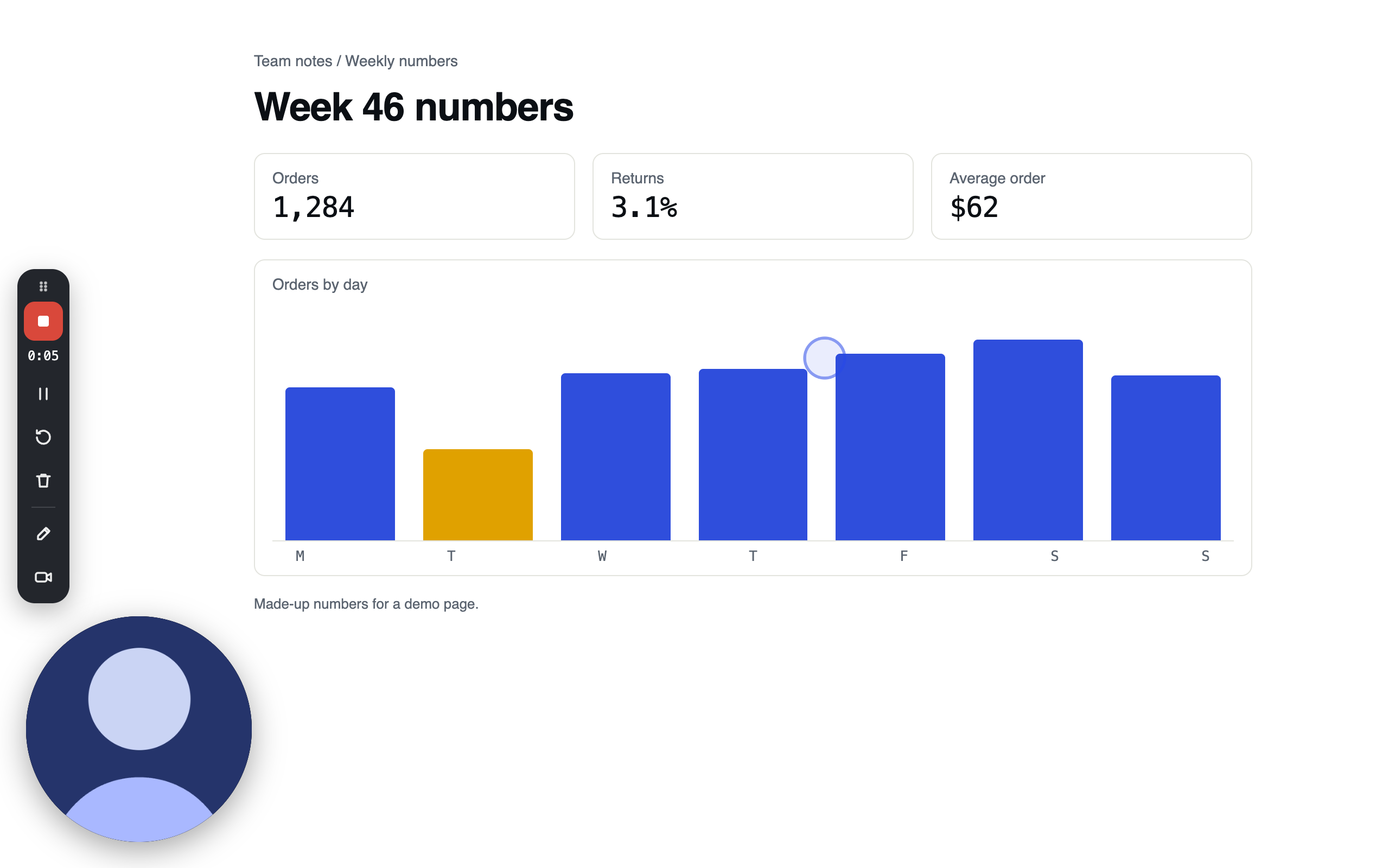
A recording in progress with the Growth Dept Show extension: the control bar on the left edge with Stop and share and the timer at 0:05, the camera bubble in the corner, and a ring where the mouse clicked
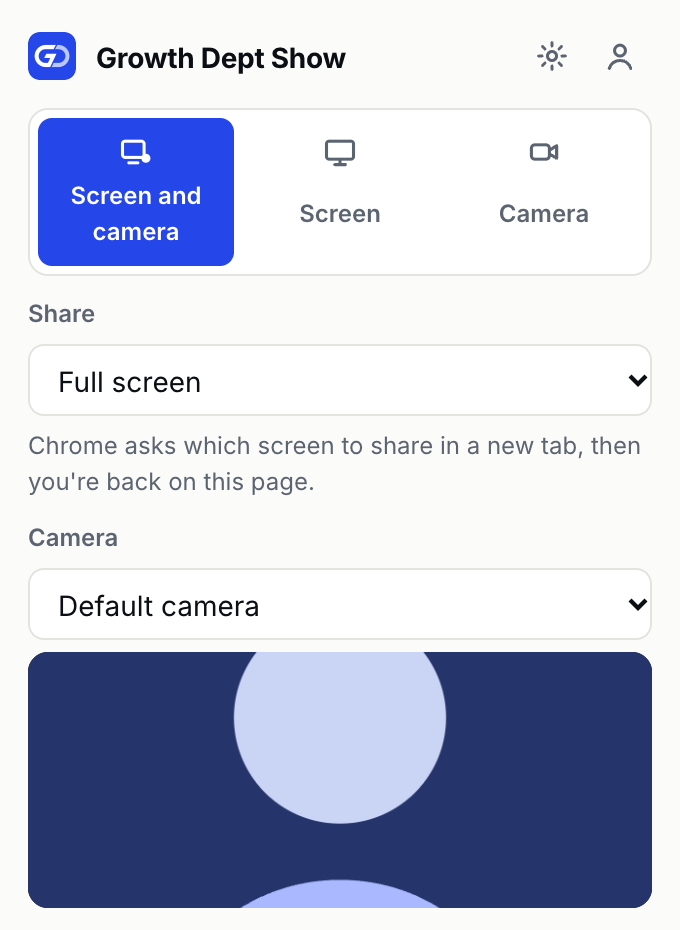
The extension's popup: Screen and camera chosen, Share set to Full screen, and the camera preview
Screenshots of the extension. The camera shows a drawn stand-in, and the page and its numbers are made up.

02 / Watch

Live

A page for every video, where the answers collect

Viewers comment on the exact second they're asking about, react with an emoji on the timeline, and read a transcript and a written summary.

  • Comments pinned to a moment, with replies and mentions
  • Emoji reactions that sit on the timeline
  • A transcript and captions for every video
  • A title, summary, chapters and tasks written from what you said

03 / Share

Live

You decide who watches, comments and downloads

Choose who can view before you record, and add a password or an end date when a video shouldn't stay open. Comments, reactions and downloads each switch on or off.

  • Anyone with the link, people in your workspace, or only people you choose
  • A password, and a date when the link expires
  • Comments, reactions and downloads on or off for each video
  • Video files that only play for people the settings allow

04 / Edit

Live

Fix a video without recording it again

Trim, cut out a section, add clips, or edit by deleting words from the transcript. Filler words and long pauses come out in one click.

  • Trim the start and end, and cut out a section
  • Add clips at the start, the playhead or the end
  • Delete words from the transcript to cut them from the video
  • Remove filler words and long pauses in one step

Where the build is

What works today, and what’s next

We’re building Show with the clients who use it, and this list changes as each part ships. If something you need is still being built, say so when you ask for access.

Live18
  • Chrome extension: screen, camera, or both, with the camera bubble, drawing and shortcuts
  • Web recorder: record from a browser tab with nothing to install
  • Recovery: a recording whose upload stopped stays on your computer to send again
  • Mac app that records from the menu bar and updates itself
  • Uploads while you record, so the link works the moment you stop
  • Library: your videos, the workspace's videos, folders and search
  • Video page: player, speed, captions and download
  • Comments pinned to a moment, with replies and mentions
  • Emoji reactions on the timeline
  • Transcripts and captions for every video
  • Written for you: title, summary, chapters and tasks
  • Share settings: who can view, password, expiry, comments and downloads
  • Editing: trim, cut, stitch, and remove filler words and pauses
  • Viewers and insights: who watched and how far
  • Notifications for views, comments, reactions and mentions
  • Embeds and link previews
  • Screenshots from Chrome and the Mac app, each with its own link
  • Workspace settings: members and roles, invitations, security and your data as a ZIP

Show is invite-only while we build it with our clients

Tell us who you are and what you’d record. We read every request, and we invite people as we have room.